UK: 03330 156 651 | IE: 01263 5299
-
UK: 03330 156 651
-
IE: 01263 5299


The Quick Answer
For business owners in Northern Ireland, Scotland, and the ROI looking for immediate cybersecurity clarity, here is the summary of the 7 essential steps to securing your business:
- Strong Logins: Passwords are not enough. Enable Multi-Factor Authentication (MFA) on all critical accounts immediately to block 99.9% of automated attacks.
- Updates: Old software is a welcome mat for hackers. Automate software updates to patch security holes before attackers find them.
- Managed Antivirus: Free tools turn off without you knowing. Use centrally managed endpoint protection to ensure every laptop and server is actually watching for threats.
- Backups: Ransomware locks your files. Automatically back up critical data to a separate location (cloud or offline) so you can recover without paying a penny.
- Email Filtering: 84% of attacks start with an email. Turn on spam protection and use “External Email” banners to spot fakes.
- Access Control: Don’t give everyone the keys to the kingdom. Only give staff access to the files they actually need to do their job, and remove it the day they leave.
- Staff Awareness: Technology can’t fix everything. Create a culture where staff feel safe reporting suspicious activity immediately.

The Invisible Threat on Your Doorstep
Imagine this scenario.
It’s 9:00 AM on a Tuesday. You sit down with your coffee to check your emails, but you can’t log in. You try to access your customer database, but the files are locked. A message appears on your screen: your data has been encrypted, and you have 48 hours to pay £50,000 in Bitcoin or your client list will be published on the dark web.
For a moment, the office is silent. Then the phones start ringing. Clients are asking why they’ve just received strange emails from your account.
This isn’t a plot from a movie. It is the reality for thousands of small businesses across the UK and Ireland every year. In fact, the latest UK government data reveals that 50% of businesses reported experiencing a cyber attack last year.
For many business owners, cybersecurity feels like a dark art—complex, expensive, and filled with terrifying jargon. You are already wearing ten different hats: HR director, sales manager, accountant, and operations lead. Adding “Chief Information Security Officer” to that list feels impossible.
But here is the truth: most cyber incidents aren’t caused by sophisticated hacking of “unhackable” systems. They happen because the basics weren’t in place. They happen because a laptop was left unpatched, a password was reused, or a well-meaning employee clicked a link they shouldn’t have.
At Yellowcom, we believe in turning “scary” into “simple”. Whether you are a retailer in Glasgow, a solicitor in Belfast, or a consultancy in Dublin, the principles of safety remain the same.
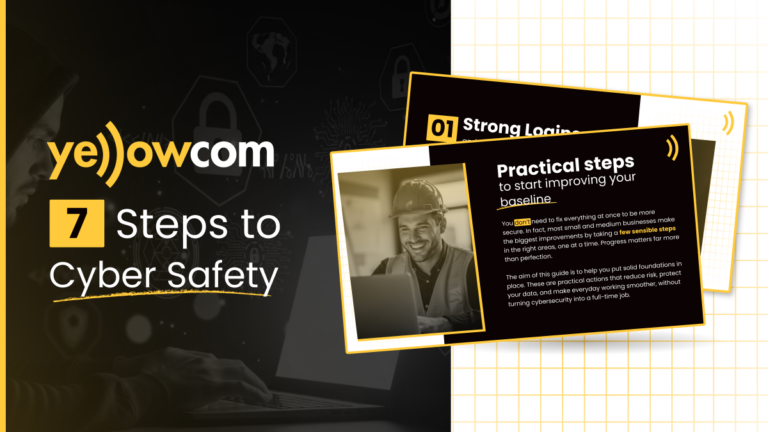
Download the Quick Guide
Want to take this advice away with you? Download our free PDF guide here to share with your team.
Here is your expanded, practical guide to the 7 steps that will build a solid cybersecurity foundation for your business.
01. Strong Logins and Multi-Factor Authentication
The Problem: The “front door” to your business data is usually an email login or a cloud software account. If that door is flimsy, attackers will walk right in.
In the UK and Ireland, “Credential Stuffing” is a common attack method. This is where hackers take a password stolen from a low-security site (like a gym forum or a shopping website) and try it on your business email. Because 65% of people reuse passwords, it often works.
Real-World Warning: The British Library In October 2023, the British Library suffered one of the most devastating cyber attacks in UK history. The “Rhysida” ransomware group encrypted their systems, causing months of disruption. The root cause? A lack of Multi-Factor Authentication on a legacy server. If one of the UK’s most trusted institutions can be brought to its knees because of a login issue, so can a small business.
The Fix: Enable MFA Everywhere
Start by listing your most important systems—online banking, CRM tools, finance software, and email. These are the systems that would cause the biggest problems if someone gained access.
Turn on Multi-Factor Authentication (MFA) for these first. MFA adds a second step to logging in, such as a code on a phone. It is usually included in cloud services like Microsoft 365 with simple setup guides.
Pain Point Solved:
- For Legal Firms: You hold sensitive client data. A breach here isn’t just an IT issue; it’s a GDPR nightmare and a reportable incident to the Law Society. MFA is your first line of defense against client data theft.
Jargon Buster: MFA (Multi-Factor Authentication) You might know this as 2-Step Verification. It means relying on something you know (your password) and something you have (your phone) to prove it’s really you.
02. Keep Devices and Software Up-to-Date
The Problem: We all hate that “Update Available” notification popping up when we are trying to work. It’s annoying, it requires a restart, and it interrupts your flow. However, clicking “Remind me later” is a dangerous habit.
Software companies like Microsoft and Adobe don’t just release updates for new features; they release them to fix “vulnerabilities”—holes in the code that hackers have discovered and are actively using to break in.
Real-World Warning: Royal Mail In early 2023, Royal Mail was hit by the LockBit ransomware group, causing severe disruption to international shipping for weeks. LockBit is notorious for exploiting unpatched vulnerabilities in software to gain entry. The cost of the disruption was estimated to be in the tens of millions—far more expensive than the time it takes to reboot a server.
The Fix: Automate It
Outdated software is one of the easiest ways for attackers to get in. Wherever possible, set devices to update automatically, including computers, browsers, and work phones.
Pick a regular time, such as a quiet hour on a Friday, when devices can restart and apply updates properly. Updates that are delayed often never get installed.
Sector Spotlight: Retail
Retailers often run Point of Sale (POS) systems on older versions of Windows because “it just works.” But if that POS system is connected to the internet and hasn’t been patched since 2019, it is a ticking time bomb for credit card theft.
03. Managed Antivirus and Endpoint Protection
The Problem: In the era of hybrid working, your office isn’t just a building; it’s wherever your laptop is. Cyber incidents often start on remote devices, not office computers.
Many small businesses rely on basic, free antivirus software. The problem? It relies on the user to check it. If a staff member turns it off to install a game, or if the license expires, you won’t know until it’s too late.
Real-World Warning: HSE Ireland The cyber attack on the Health Service Executive (HSE) in Ireland is a stark reminder of how fragile defenses can be. The attack began when a single employee opened a malicious Microsoft Excel file attached to a phishing email. This simple action allowed hackers to infiltrate the network, costing the taxpayer over €100 million. Managed endpoint protection is designed to spot and quarantine these malicious files before they execute.
The Fix: Go Managed
Every work device should be protected, including laptops used at home or on the road. As your business grows, moving from consumer antivirus to a centrally managed solution makes it much easier to see what is protected and what is not.
Pain Point Solved:
- For Construction: Your site managers are in vans and portacabins, rarely connecting to the HQ network. Managed antivirus reports back to the cloud, so you know Dave’s laptop is safe even if he’s on a 4G dongle in the Highlands.
04. Backups and Recovery
The Problem: Ransomware is the biggest threat to small businesses today. It doesn’t steal your data; it locks it away and demands payment. If you don’t have backups, you have zero leverage.
Real-World Warning: Arnold Clark The Glasgow-based car retailer Arnold Clark suffered a massive attack by the “Play” ransomware group in late 2022. The attackers stole 475GB of data and encrypted systems. The disruption was massive, forcing them to rebuild networks and leaving customers in the dark about their personal data. While they had resources to recover eventually, for a smaller firm, a data loss of that magnitude is often a bankruptcy event.
The Fix: The 3-2-1 Strategy
Identify the data your business cannot afford to lose, such as finance records, customer data, contracts, and key project files. This information should be backed up automatically. The 3-2-1 strategy involves storing your backups in a separate location from your main computer, such as in the cloud or on an external drive that isn’t always connected. This separation ensures that a single incident, like a ransomware attack or physical damage, cannot wipe out both your live data and your recovery files at the same time.
Backups should be stored separately, such as in the cloud or on an external device that is not always connected. This prevents one incident from wiping out everything.
Crucial Step: Backups are only useful if they can be restored. Assign a trusted owner and test recovery before you need it.
05. Emails and Web Filtering
The Problem: Most cyber incidents start with an email. Phishing is the most prevalent type of attack, affecting 84% of businesses.
The emails are getting smarter. They no longer look like “Prince of Nigeria” scams. They look like an invoice from a supplier you actually use, or a “Document Shared” notification from Microsoft Teams.
The Fix: Layers of Defence Enable built-in spam and phishing protection in your email system, as stronger options are often switched off by default.
Practical Tip: Add an “External Email” banner to your system. This tags any email coming from outside your company. If you get an email from “The CEO” asking for an urgent bank transfer, but it has the “External” banner, you know immediately it’s a fake.
Sector Spotlight: Finance & Accounting
Accountants are high-value targets. “Invoice Fraud” is where hackers compromise a supplier’s email and send you a legitimate-looking invoice with their bank details. Web filtering and email scanning can help flag these suspicious domains.
06. Controlling Basic Access
The Problem: In a small team, it’s common to give everyone “Admin” access because it’s convenient. “Just give Sarah the admin password so she can install that printer.”
However, not everyone needs access to every system. If Sarah’s account is hacked, and she is an Admin, the hackers own your entire network. If she is a Standard User, the damage is limited.
The Fix: Review and Revoke
Review your key tools and decide who needs access based on job role, not habit. Limit admin access to those who genuinely need it.
The “Leaver” Danger
Remove accounts for leavers promptly. We often see businesses where an employee left six months ago, but their email and remote access are still active. This is a ghost door left ajar.
07. Staff Awareness and Simple Processes
The Problem: You can buy all the firewalls in the world, but if a staff member writes their password on a sticky note or clicks a link promising a free iPad, you are vulnerable.
The Fix: Culture over Fear
Short, regular awareness sessions can make a big difference. Once a quarter, spend 10-15 minutes showing real phishing examples or discussing a recent scam.
Make reporting simple and clear. Speed matters when something feels wrong. If a staff member clicks a bad link, they should feel safe raising their hand immediately. If they are afraid of being shouted at, they will hide it, and the malware will spread.
Mock Scenario: The Friday Afternoon Panic
- The Situation: It’s 4:45 PM on Friday. Your accounts assistant gets an email marked “URGENT – OVERDUE” from a main supplier. It threatens to stop deliveries if payment isn’t made by 5:00 PM. There is a link to pay.
- The Risk: Panic overrides logic. They click the link and enter the banking details.
- The Solution: A simple process rule. “If an email is urgent, involves money, and includes a link, stop and double-check”. Pick up the phone and call the supplier on a number you trust.
Need Help with Cybersecurity in Northern Ireland, Scotland, or ROI?
Implementing these 7 steps will put you ahead of the vast majority of small businesses. It moves you from being “low-hanging fruit” to a “hard target.”
But we understand that for many business owners, managing IT alongside day-to-day operations can feel like a full-time job. You want to sell houses, build extensions, or serve customers – not patch servers on a Friday night.
Many businesses can put these steps in place themselves. However, when it starts to feel like too much to manage, a Managed IT and Cybersecurity partner can help keep these basics running reliably in the background.
Why Choose Yellowcom?
- Local Support: Dedicated local support across the UK and Ireland.
- Experience: Over 15 years delivering business solutions.
- Trust: Supporting 3000+ businesses with over 1000 5-star reviews on Google.
We help you simply focus on running your business while we handle the threats.
Turn Scary into Simple. If you are looking for IT Help for your Small Business, let’s talk.