UK: 03330 156 651 | IE: 01263 5299
-
UK: 03330 156 651
-
IE: 01263 5299


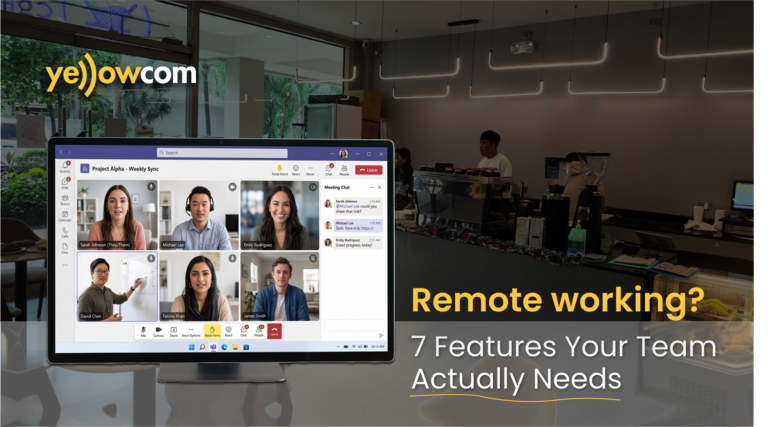
Remote and hybrid working have changed what businesses need from their phone systems. Employees may be working from the office, from home, travelling between customer sites or combining all three. Wherever they are, customers still expect to be able to contact the right person quickly and receive the same professional service.
That’s where remote worker phone systems UK businesses can rely on become important. Rather than tying calls to physical office handsets, modern cloud-based phone systems can give employees access to business communications across different locations and devices.
But enabling remote calling is only part of the picture. The right system should make communication easier for employees, maintain a consistent customer experience and give managers the tools they need to manage business communications effectively.
Here are seven features to consider when choosing a phone system for your remote or hybrid team.
What Should You Look for in Remote Worker Phone Systems UK?
A good remote working phone system should do much more than forward office calls to an employee’s mobile.
When comparing remote worker phone systems UK businesses should start by looking at how their teams actually communicate. Can employees use their business number away from the office? Can colleagues see who is available? Can calls be transferred easily between locations? Can managers still understand what is happening with incoming and outgoing calls?
The best solution will bring these different requirements together while giving your business room to adapt as working patterns change.
1. Business Calls From Anywhere
The starting point for any remote worker phone system is the ability to make and receive business calls away from a traditional desk phone.
For hybrid teams, that flexibility matters. An employee might work in the office on Monday, from home on Tuesday and somewhere else later in the week. Their ability to communicate with customers and colleagues shouldn’t depend on which desk they’re sitting at.
With iPECS ONE, users can access voice communications through PCs, smartphones and tablets. Browser-based access also gives remote employees the option to use their computer for business communications without necessarily requiring dedicated phone hardware.
Ofcom also recognises that business landline services can be delivered over broadband using Voice over Internet Protocol (VoIP), as the UK continues its move towards digital phone services.
That means employees can remain connected to the business phone system across different working environments rather than relying on separate communication arrangements when they’re away from the office.
For growing businesses, this can also make it easier to support new working patterns without having to install a traditional handset at every location.
Explore Yellowcom’s business phone systems to learn more about creating a more flexible communications setup.
2. One Business Identity Across Different Devices
Remote working can create an awkward question: should employees give customers their personal mobile numbers?
For many organisations, the answer should be no. Employees may not want their private number shared with customers, while businesses may want calls to remain connected to their professional communications environment.
A suitable remote working phone system can help keep business and personal communications separate.
ANYWHERE for iPECS, for example, allows employees to make and receive calls using their business extension from their smartphone while keeping their personal mobile number private.
This is useful for people who work away from a desk but still need to be easily contactable. Customers continue to interact with the business identity they’re familiar with, while employees can use a device they already carry.
It also reduces the risk of customer relationships becoming tied to personal numbers that sit outside the company’s communications setup.
3. Simple Call Handling and Transfers
Customers shouldn’t have to think about whether the person they need is working from home, in another office or travelling.
They simply want their call answered and, when necessary, transferred to someone who can help.
That’s why call handling is an important consideration when comparing remote worker phone systems UK businesses can use.
Imagine a customer calls your main number and asks to speak to an account manager working remotely. With a connected business phone system, the employee’s location doesn’t need to become the customer’s problem. The call can be directed or transferred to the appropriate person as part of the same business communications environment.
This becomes increasingly valuable as teams become more distributed.
Instead of having one process for office workers, another for home workers and another for mobile employees, the phone system can help connect everyone. For customers, that can mean a more consistent experience regardless of where your team happens to be working that day.
4. Presence, Messaging and Team Collaboration
Remote communication isn’t only about phone calls.
In an office, employees can often see whether a colleague is available or quickly ask a question across the room. With a distributed team, those simple interactions can become harder unless the right collaboration tools are available.
That’s why a modern cloud phone system for remote workers can benefit from bringing multiple forms of communication together.
iPECS ONE combines voice with functionality including instant messaging, group chats, file sharing and real-time presence information. Employees can see colleague availability and choose the most appropriate way to communicate.
A quick question might only require an instant message. Something more detailed could become a voice or video conversation.
This can reduce the need to jump between unrelated applications just to find and communicate with a colleague. More importantly, it helps remote and office-based employees remain part of the same team rather than operating in separate communication environments.
5. Mobile Support for Employees on the Move
Not every remote employee works from a home office with a laptop and reliable Wi-Fi.
Salespeople may travel between appointments. Engineers can spend most of the day at customer sites. Property professionals may move between buildings, while managers might regularly travel between different business locations.
For these employees, mobile functionality becomes particularly important.
ANYWHERE for iPECS extends iPECS functionality to mobile users through a smart SIM. Employees can make and receive business calls using their smartphone’s native dialler rather than having to open a separate calling app. Calls also don’t depend on an internet connection.
This creates a different experience from simply installing a softphone on a mobile device.
Employees can use familiar smartphone functionality while their business number remains part of the wider company communications environment.
For organisations combining office-based, home-based and field-based teams, that flexibility can help create a more consistent approach to business calls without expecting every employee to work in the same way.
6. Call Reporting and Visibility
When employees move outside the office, managers can lose some of the visibility they previously had over business communications.
That doesn’t mean businesses need to monitor every employee’s activity. It does mean they should be able to understand how effectively customer calls are being handled.
For example, are customers waiting too long? Are important calls being missed? Are particular periods creating unusually high call volumes? Does the business have enough people available when demand increases?
iPECS Analytics provides real-time call data and reporting that can be accessed remotely. Businesses can monitor information such as call queues, wait times and agent availability, alongside broader reporting on communications activity.
That visibility can help managers identify patterns and make better-informed operational decisions.
Rather than assuming the phone system is working effectively simply because calls are coming in, businesses can use actual call information to identify areas that may need attention.
For remote and hybrid teams, this means flexibility doesn’t have to come at the expense of understanding the customer experience.
7. Integrations With the Software Your Team Already Uses
Your phone system doesn’t need to operate in isolation from the rest of your technology.
Remote employees may already spend much of their day working within CRM systems, Microsoft or Google tools and other cloud applications. Having to constantly move between separate systems can add unnecessary steps to everyday tasks.
Integrating communications with those applications can create a more joined-up workflow.
CONNECT for iPECS provides integrations with business platforms including Microsoft Dynamics, Salesforce, HubSpot and Zoho, as well as Microsoft and Google services. Bespoke integrations can also be created for cloud services that provide an API.
Depending on the integration, employees can access functionality such as click-to-dial, contact synchronisation, screen popping and automatic call logging.
For a distributed team, these seemingly small improvements can make a noticeable difference. Customer information and communications can sit closer together, reducing repetitive administration and giving employees easier access to relevant information when handling calls.

Choosing the Right Remote Worker Phone System for Your UK Business
There’s no single phone system configuration that’s right for every organisation.
A professional services firm with employees working mainly from home will have different requirements from a company with engineers travelling between customer sites. Likewise, a small business may prioritise simplicity, while a larger organisation could place greater importance on reporting, integrations and managing users across multiple locations.
Start by looking at how your employees actually work. Consider the devices they use, where they spend their working day, how customers contact them and which applications are central to their role.
Then consider what might change over the next few years. A flexible system should support your business as teams grow, locations change or working patterns evolve.
It’s worth taking time to assess the service as well as the technology. Ofcom advises businesses to consider their requirements carefully when choosing phone and broadband services
Yellowcom provides a range of cloud phone systems and iPECS business phone systems designed to support modern business communications.
Connect Your Remote Team With Yellowcom
The right remote worker phone system can make location far less important to everyday communication.
Your employees can remain reachable, customers can receive a consistent experience and managers can maintain visibility of business calls — whether teams are working from the office, at home or on the move.
Yellowcom can help you identify a communications solution that fits the way your team works today while giving you the flexibility to adapt in the future.
Ready to improve communications across your remote or hybrid team? Talk to Yellowcom about a business phone system built around your organisation.